Recommended order
Helix Code Tutorials
Start by connecting a real workspace, then learn the interface, model setup, first conversation, Manager mode, terminal, and settings.
The first tutorial gives Helix Code a real project target; everything else builds on that.
Reading path
Follow this order
01
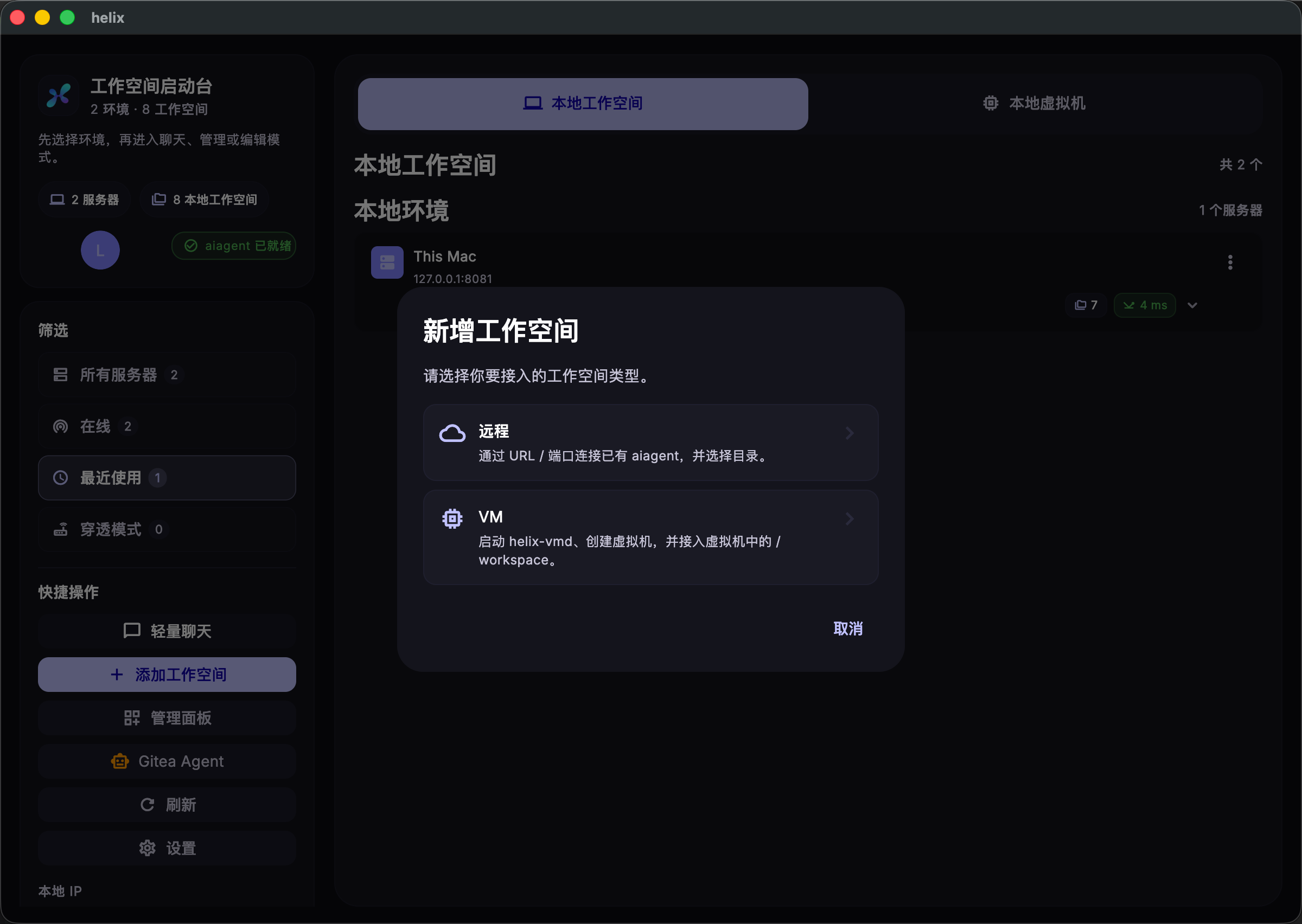
Connect a Workspace and Machine
Connect a local, remote, or VM project so Helix Code knows where to work.
→
02
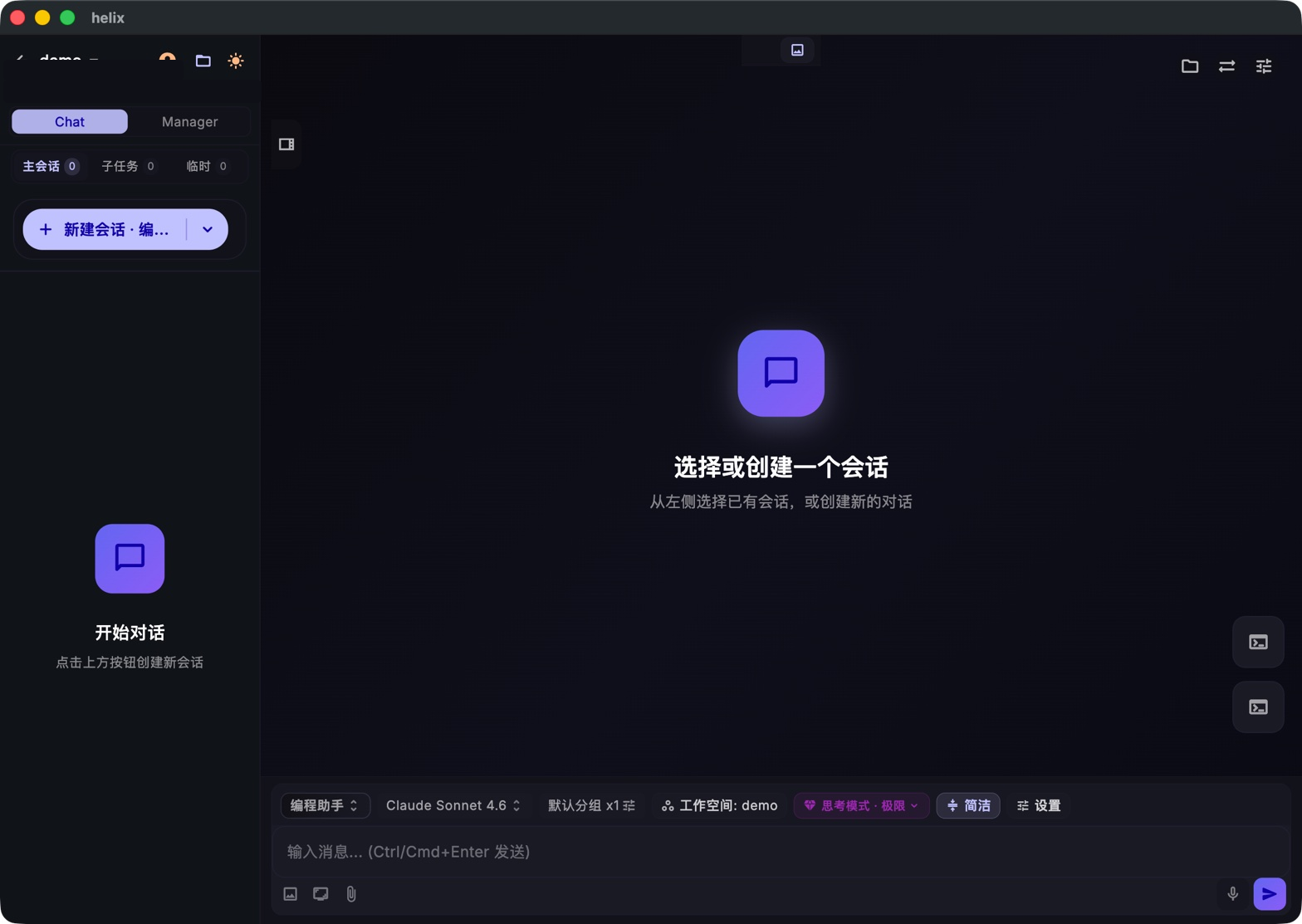
Get to Know the Helix Code Interface
Find sessions, tools, the model bar, and the input area before you start.
→
03
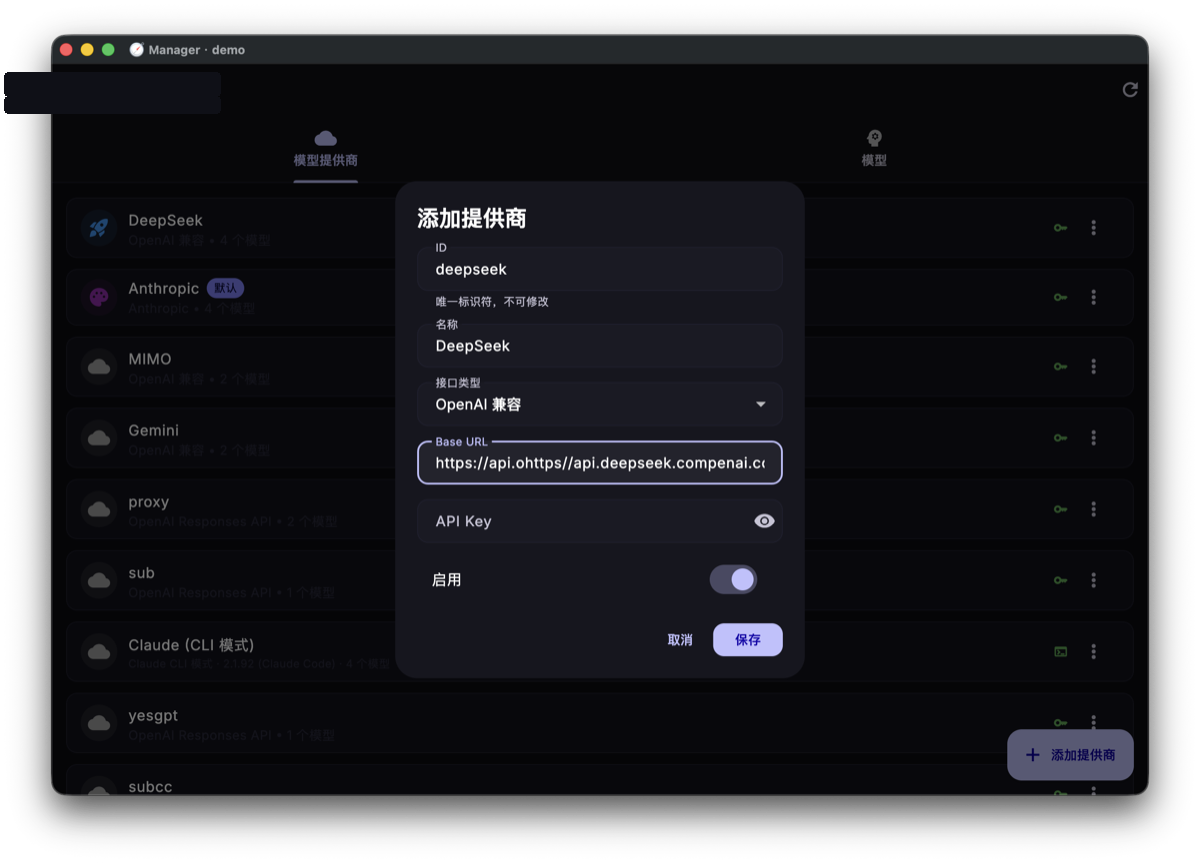
Configure Your First Model
Use built-in access or your own provider, then verify the model can reply.
→
04
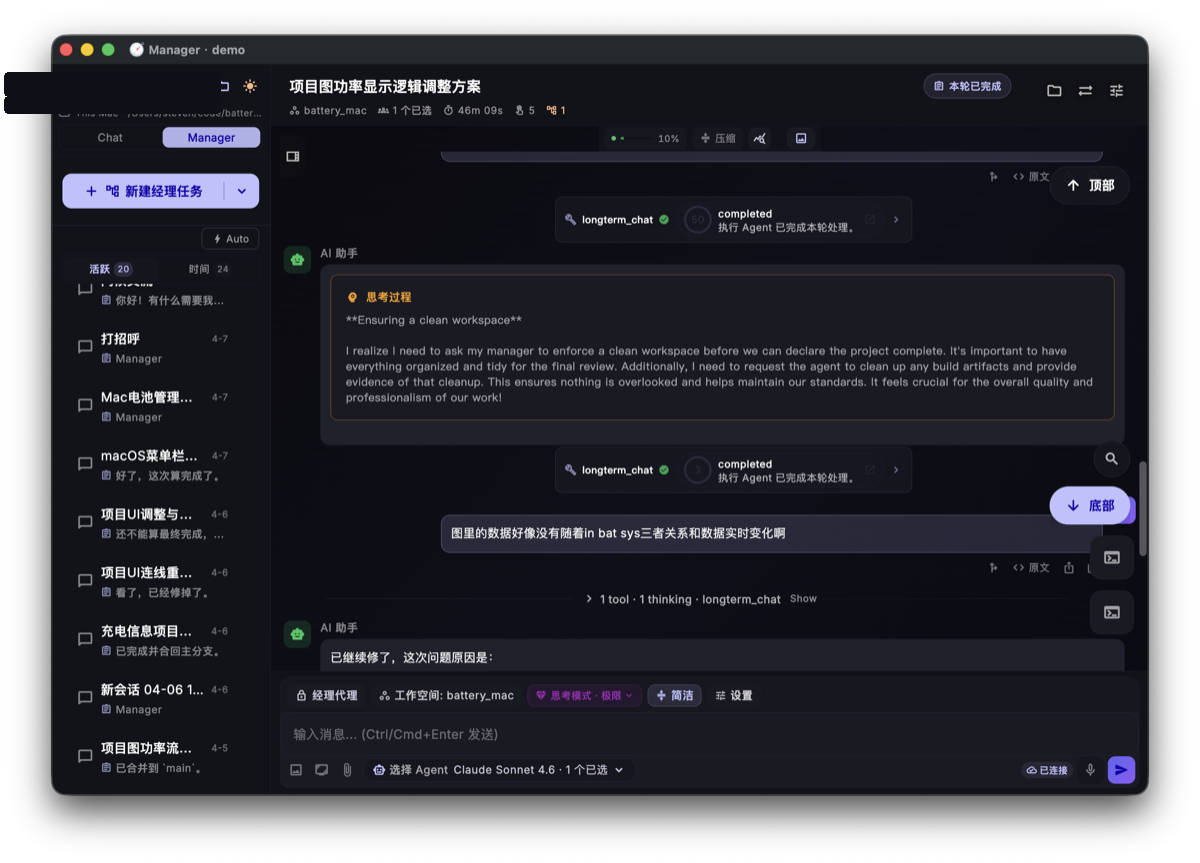
Start Your First Conversation
Create a session, send a useful prompt, and read tool calls as they stream.
→
05
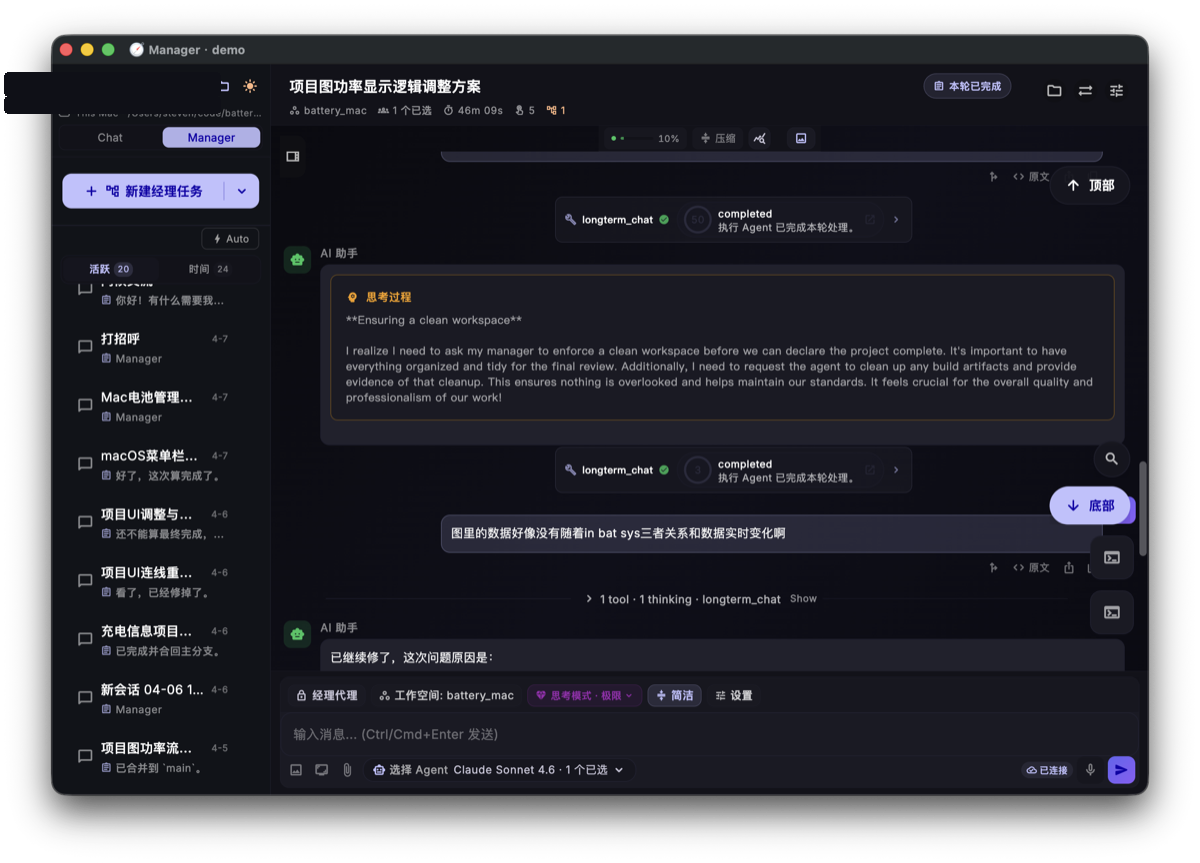
Use Manager Mode
Hand multi-file work to Manager so parallel sub-tasks can move together.
→
06
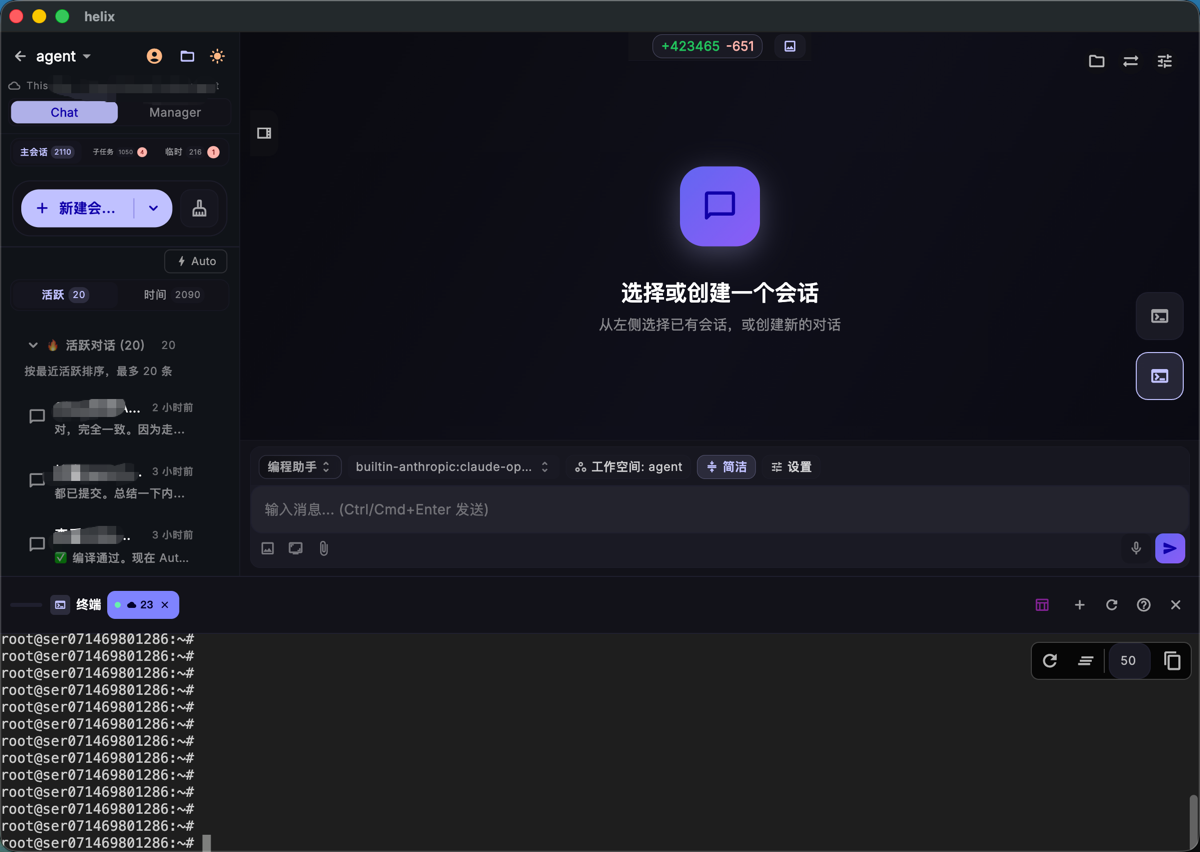
Terminal & File Browser
Run commands, browse the project tree, and verify AI changes in one place.
→
07
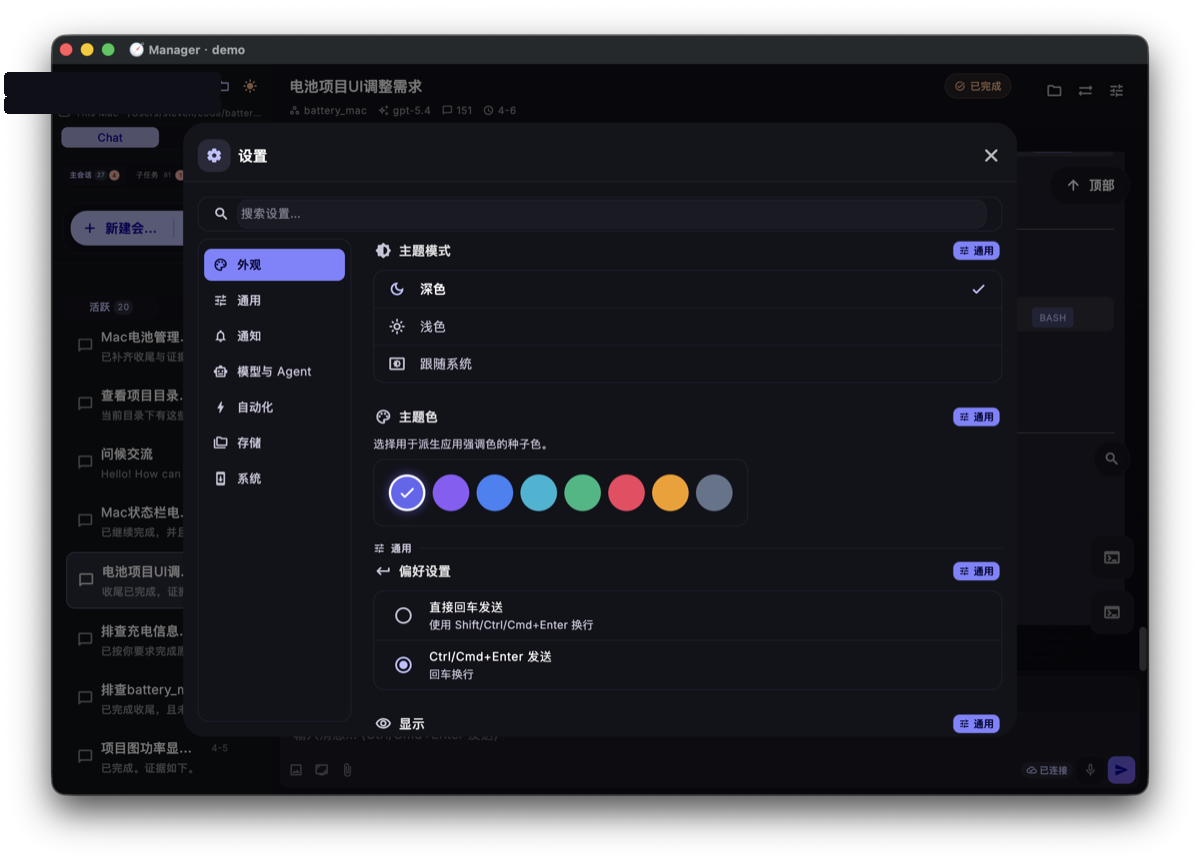
Settings & Customization
Manage models, MCP, Skills, language, and appearance for your workflow.
→