Switch Models Mid-Conversation: No Restarts, No Lost Context
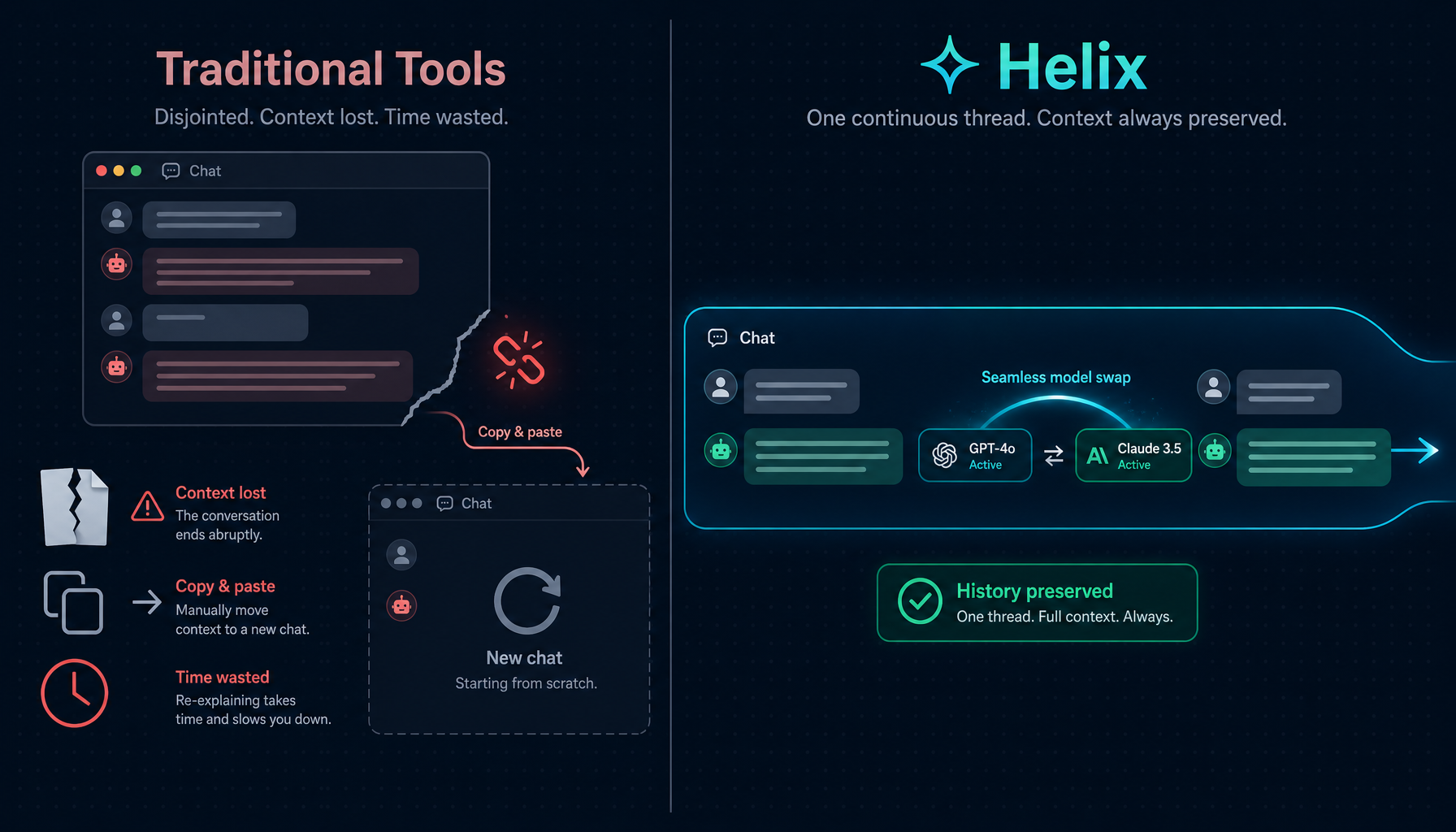
Switching models mid-session sounds simple. In practice, most systems make you start over.
You pick a model at the beginning of a conversation. You build context — twenty messages deep, a dozen tool calls, a pile of file reads. Then you realize the model is too slow, too expensive, or missing a capability you need. Your options: abandon the session and start fresh, or keep going with the wrong tool for the job.
Helix doesn't work that way.
The problem with committing to a model upfront
Every model has a different cost-capability tradeoff. A model that's ideal for deep reasoning on a complex architecture problem is expensive for quick drafting work. A fast, cheap model that handles routine edits well falls short when you need multi-step reasoning across a large codebase.
Real work doesn't fit neatly into one category. A coding session often starts with exploration — reading files, understanding structure, asking clarifying questions — and ends with implementation work that demands more capability. Or the reverse: you start with a powerful model for the hard part, then want something faster for the follow-through.
The conventional approach forces you to make this decision once, at session start, with the least information you'll ever have about what the task actually requires.
How model switching works in Helix
In Helix, the model selector is always available in the chat toolbar. You can change it at any point during a conversation. The next message you send uses the new model — with full access to everything that happened before.
No reset. No re-explaining. No "let me catch you up."
The conversation history travels with you across model changes. This is not a prompt injection trick where the previous messages are summarized and handed off — the actual message history is transferred to the new model directly, so it has the same context depth as if it had been in the conversation from the start.
Three switching paths
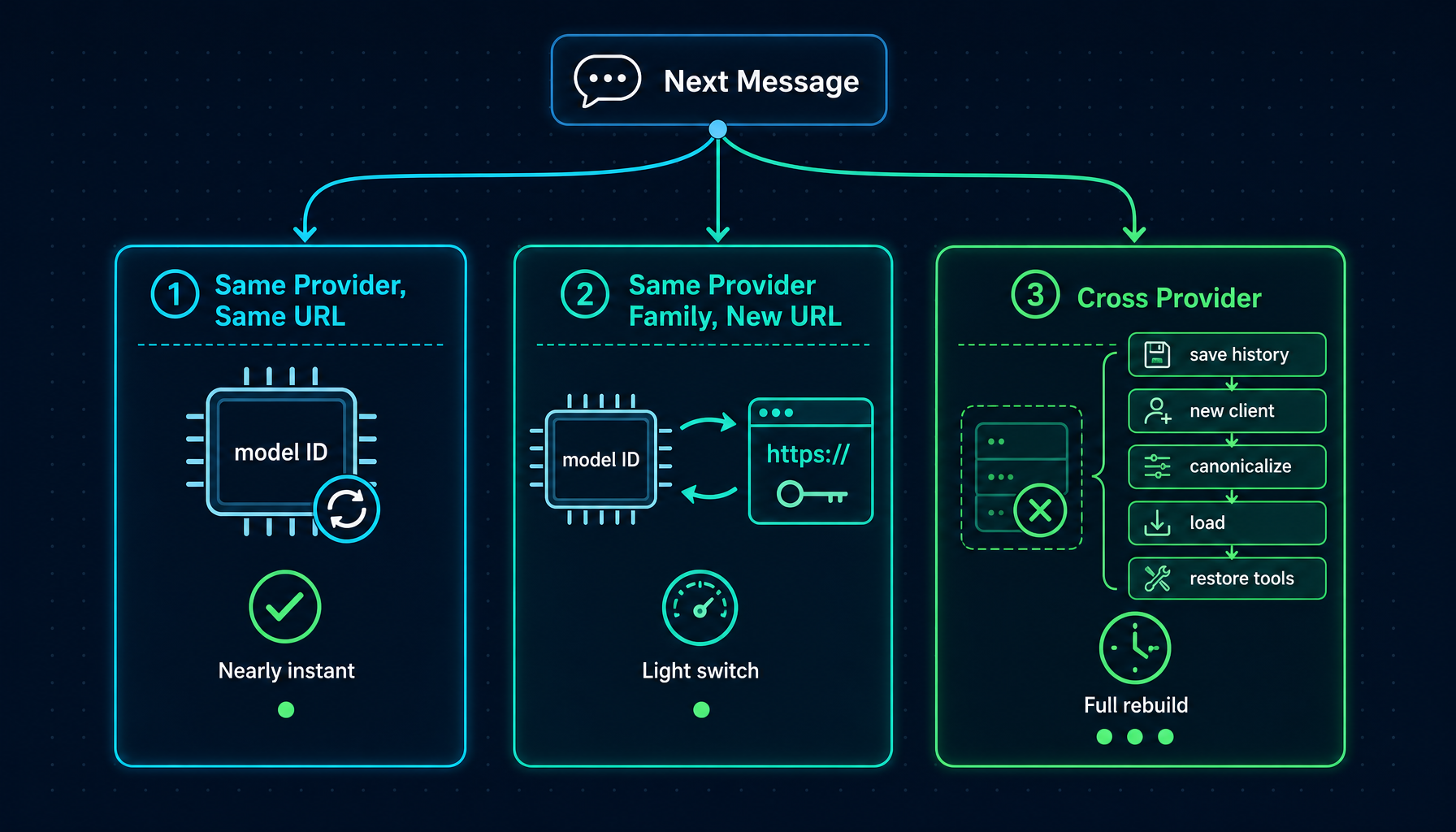
Not all model switches are the same. Helix handles three distinct scenarios differently, based on what needs to change under the hood.
┌─────────────────────────────────────────────────────────────┐
│ Model Switch Request │
│ (sent with next message via WebSocket) │
└──────────────────────────┬──────────────────────────────────┘
│
▼
┌─────────────────────────┐
│ Compare old vs new │
│ provider + base URL │
└──────────┬──────────────┘
│
┌─────────────┼──────────────┐
│ │ │
▼ ▼ ▼
┌──────────────┐ ┌──────────────┐ ┌───────────────────────┐
│ Same provider│ │ Same provider│ │ Different provider │
│ same URL │ │ new URL │ │ (OpenAI ↔ Anthropic, │
│ │ │ │ │ any → CLI, etc.) │
└──────┬───────┘ └──────┬───────┘ └──────────┬────────────┘
│ │ │
▼ ▼ ▼
Update model Update model, Rebuild Runner:
ID only. URL + API key. • Save message history
Zero overhead. Minimal overhead. • Create new LLM client
• Canonicalize history
• Load into new Runner
• Restore tool config
Same provider, same base URL (e.g., gpt-4o → gpt-4.1): the LLM session updates its model ID in place. Existing connection, tool configuration, and message history are untouched. This is nearly instantaneous.
Same provider family, different base URL (e.g., switching between two custom OpenAI-compatible endpoints): the session updates its model ID, base URL, and API key. No Runner rebuild required.
Cross-provider switch (e.g., GPT-4o → Claude Sonnet, or any model → CLI mode): a full Runner rebuild happens. The message history is extracted from the old Runner, sanitized, and loaded into the new one. This is the interesting case — and the one worth understanding in detail.
What happens to your conversation history
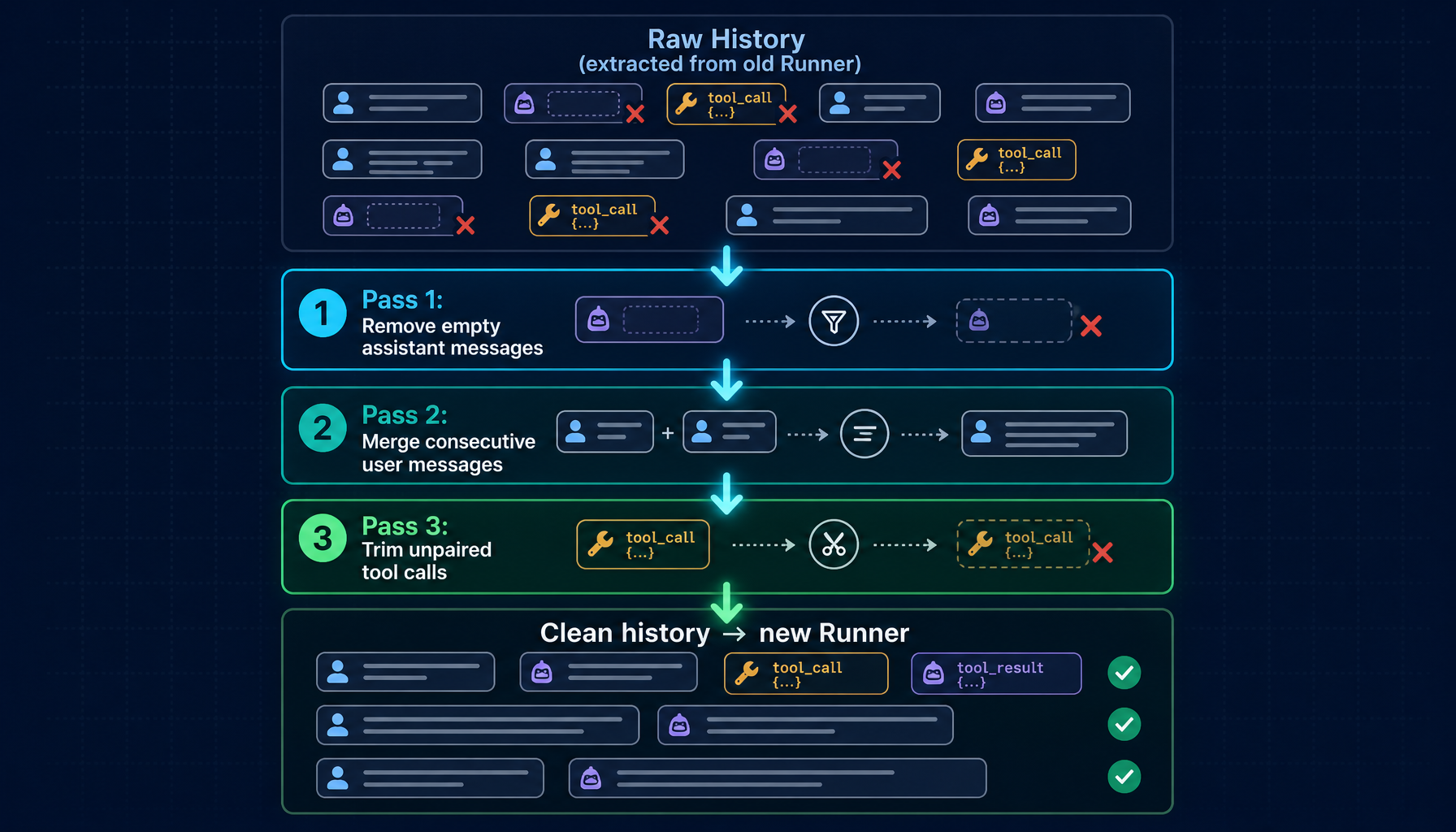
When you switch across providers, Helix performs a canonicalization pass on your message history before handing it to the new model.
Here's why that's necessary.
Different providers have subtly different requirements for what constitutes a valid message sequence. After a long session, your history may contain:
- Empty assistant messages — left behind when a response was interrupted before content arrived
- Orphaned tool calls — the assistant requested a tool but the result was never received (user cancelled mid-flight, network interruption, etc.)
- Consecutive messages from the same role — an artifact of certain error recovery paths
Any of these will cause the new provider's API to return a 400 error. The session would appear broken even though the underlying content is intact.
Canonicalization fixes this before the new model ever sees the history:
Raw history (extracted from old Runner)
│
▼
┌───────────────────────────────────────────┐
│ Pass 1: Remove empty assistant messages │
│ content="" AND no tool_calls │
│ → these cause "non-empty content" errors │
└───────────────────────┬───────────────────┘
│
▼
┌───────────────────────────────────────────┐
│ Pass 2: Merge consecutive user messages │
│ (may appear after Pass 1 removes │
│ an assistant message between them) │
│ identical → deduplicate │
│ different → join with \n │
└───────────────────────┬───────────────────┘
│
▼
┌───────────────────────────────────────────┐
│ Pass 3: Trim unpaired tool calls │
│ scan last 5 assistant tool-call messages │
│ find any tool_call_id with no matching │
│ tool response → truncate from that point │
└───────────────────────┬───────────────────┘
│
▼
Clean history loaded into new Runner
│
▼
Tool config restored (same tools, toolChoice: auto)
Thinking mode re-applied if new model supports it
│
▼
New model starts with full, valid context
The result: the new model sees a complete, clean conversation. Content is fully preserved. The provider-specific quirks from the old session are gone.
Real-world scenarios
Scenario 1: Draft fast, refine with depth
You're writing a technical spec for a new API. The structure is straightforward — resource definitions, endpoint signatures, error codes. You want to get the draft out quickly without burning expensive reasoning capacity on scaffolding work.
You start with a fast, cost-efficient model. It handles the scaffolding well: proposes the initial endpoint list, drafts the request/response schema, sketches the error taxonomy. Thirty messages in, you have a solid skeleton.
Now the hard part: inconsistencies in the auth model, edge cases in the pagination design, questions about backward compatibility. This is where you want the strongest reasoning you can get.
You switch to your most capable model — right there, same session. It picks up the draft exactly where it is. You ask it to audit the auth design. It reads the full thirty-message history of decisions already made, flags two contradictions you hadn't noticed, and proposes a cleaner approach that's consistent with the patterns already established.
You didn't restart anything. You didn't paste the spec into a new window. The fast model did the work it was good at; the powerful model did the work it was good at. Total cost: a fraction of what it would have cost to run everything on the capable model from the start.
Scenario 2: Hit a capability wall mid-session, keep going
You're in a debugging session. A Go service is misbehaving under load — requests are stalling and you suspect a goroutine leak. You've been using a model with strong reasoning capability. Over the past fifteen messages it has traced the issue to a goroutine that's consuming from a message queue without a timeout.
Now you need to fix it: edit three files, run the test suite, check that the queue consumer behavior changes as expected. Your current model doesn't support tool calls.
You switch to a model with tool access. Same session, same history.
The new model can see the full diagnostic trail — the stack traces you explored, the hypothesis you validated, the exact files you identified. It doesn't need any re-explanation. It goes straight to the implementation, runs the tests, confirms the fix holds.
No re-diagnosis. No "can you summarize what we found?" The context is already there because the history is already there.
Scenario 3: Cost-aware multi-phase review
Your team has a batch of pull requests queued for AI-assisted review. Most are mechanical — check for common patterns, flag style violations, confirm test coverage. A few are genuinely complex — architecture decisions, security-sensitive changes, subtle logic in concurrent code.
You work through the batch in a single session. For the routine reviews, you stay on a fast, cost-effective model. It handles the pattern-matching well. When you hit a PR that touches the auth layer and the billing service simultaneously, you switch to your highest-capability model for that one.
Then switch back.
The session thread keeps the full record of every review, every flag, every comment. The model switches are invisible to anyone reading the session history — they just see a coherent thread of review work. The cost profile matches the actual complexity of each piece of work, not the worst-case complexity of any single piece.
Under the hood: why the session is the right unit of continuity
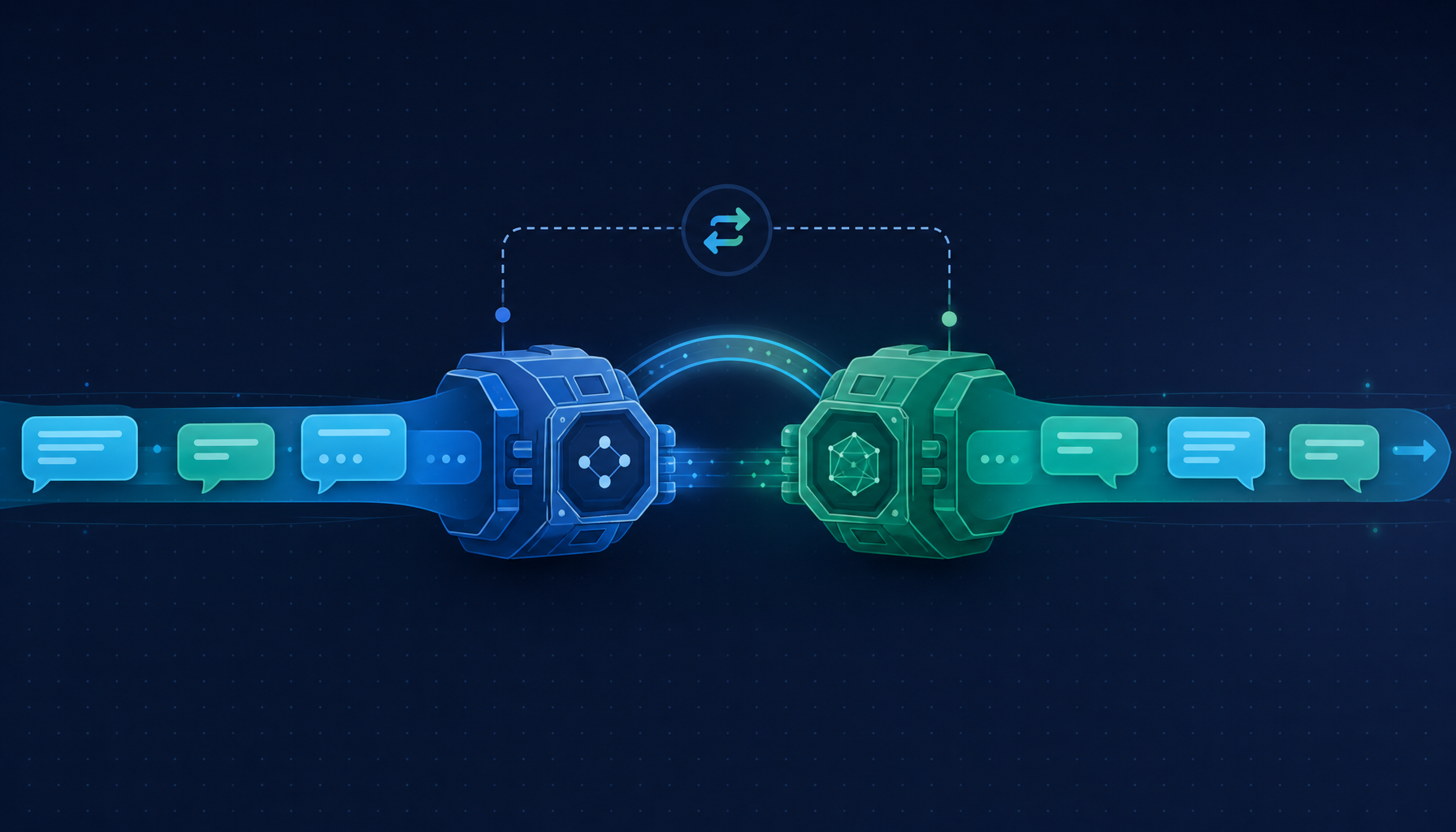
The design decision here is that the session — not the model — is the persistent entity. Your conversation state lives in the session. The model is a parameter of how the next message gets processed.
This means the model selector in Helix works differently from a provider switcher in other tools. You're not starting a "new conversation with Claude" — you're continuing the same conversation, but with a different engine processing the next message.
The WebSocket protocol reflects this. Every outbound message carries the current model ID. The backend checks it against the session's current model on each message and runs the appropriate switch path before sending to the LLM. There is no separate "switch model" API call. The switch and the message are one atomic operation.
Every message over WebSocket:
{
"type": "message",
"content": "...",
"model": "builtin-anthropic:claude-sonnet-4-5", ← current selection
"req_id": "req_xxx"
}
Backend on receipt:
if msg.Model != session.CurrentModel {
runSwitchPath(session, msg.Model) // one of the three paths above
}
// then process message with (possibly new) model
This design means you can change models as often as you want. There is no accumulated penalty for switching back and forth. Every switch is evaluated fresh against the current state.
Get started
Model switching requires no configuration. The model selector is in the chat toolbar of every Helix session.
A few things worth knowing before you use it:
- Switch any time. There is no right or wrong moment. The switch takes effect on the next message you send.
- History is fully preserved. The new model sees everything that happened before it — not a summary, the actual history.
- Tool configuration carries over. The new model gets the same tool access, provided it supports tool calls.
- Thinking mode follows capability. If the new model supports extended thinking and you have it enabled, it continues. If it doesn't support it, it's disabled automatically for that model.
- Switching is free to try. There's no cost to the switch itself — only to the messages you send after it.
The session is the conversation. The model is just which engine is running it right now.